Dell 24 Touch USB-C Hub Monitor – P2424HT (210-BJJM)
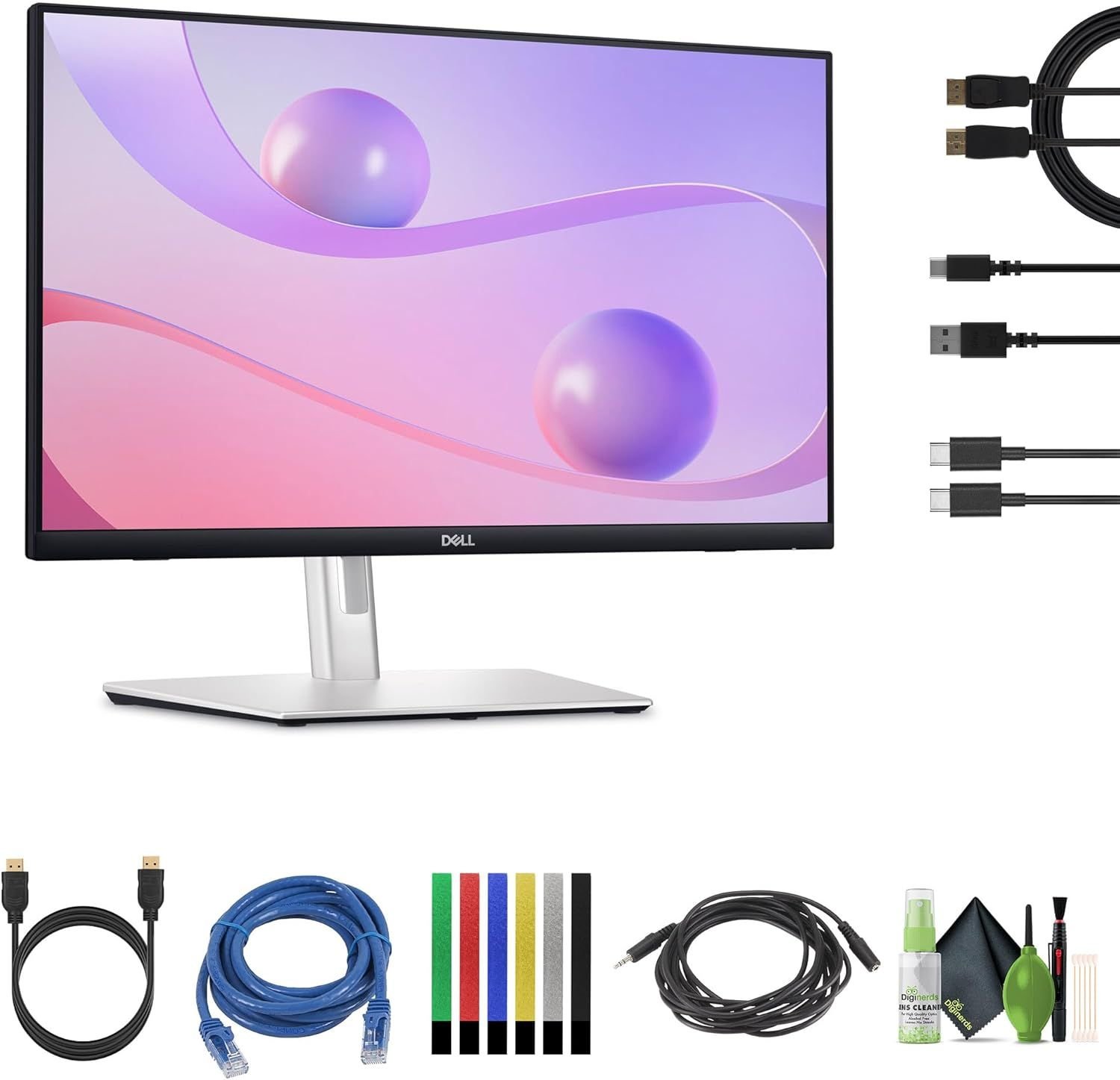
The Dell P2424HT is a 24-inch touch-enabled monitor designed to enhance productivity for professionals, designers, and collaborative teams.
Equipped with a Full HD 1920×1080 IPS display, it offers crisp visuals, vibrant colors, and wide viewing angles for accurate work and comfortable viewing.
Its 10-point multi-touch functionality enables intuitive navigation, interactive presentations, and enhanced productivity in touch-enabled applications.
With an integrated USB-C hub, the monitor allows data transfer, video, and power delivery through a single cable, reducing desk clutter and simplifying connections.
The ergonomic design with adjustable tilt, height, and swivel ensures optimal viewing comfort for extended work sessions.
Multiple connectivity options, including HDMI, DisplayPort, USB-C, and USB-A, allow seamless integration with laptops, desktops, and peripherals.
🔑 Top Highlights
⚡ 24-inch Full HD Touch Display – vibrant visuals with responsive touch
🛋️ USB-C Hub – data, video, and power delivery through a single cable
📏 Ergonomic Design – adjustable tilt, height, and swivel for comfort
🔌 Multiple Connectivity – HDMI, DisplayPort, USB-C, and USB-A
🛡️ Professional Build – durable, reliable monitor for office and collaborative work
📋 Technical Details
🏷️ Brand: Dell
🆔 Model: P2424HT (210-BJJM)
💻 Display: 24-inch Full HD IPS Touch Screen
⚡ Resolution: 1920 x 1080
💾 Connectivity: USB-C, HDMI, DisplayPort, USB-A
🎨 Color / Design: Black, ergonomic professional design
🖥️ Form Factor: Desktop Monitor
🔗 Compatibility: Laptops, desktops, USB-C enabled devices, peripherals
🎯 Why You Should Buy It
✔ Intuitive touch functionality for interactive and productive workflows
✔ USB-C hub reduces cable clutter while delivering power and data
✔ Ergonomic adjustments for comfortable extended use
✔ Crisp Full HD IPS display for accurate visuals
✔ Durable and professional build for office and collaborative environments
💡 Recommended Use Cases
Office and professional workstations
Collaborative and interactive presentations
Remote work and home office setups
Touch-enabled applications and productivity software
Multi-device connectivity and streamlined workspace