Meet the Canon imageCLASS MF445dw
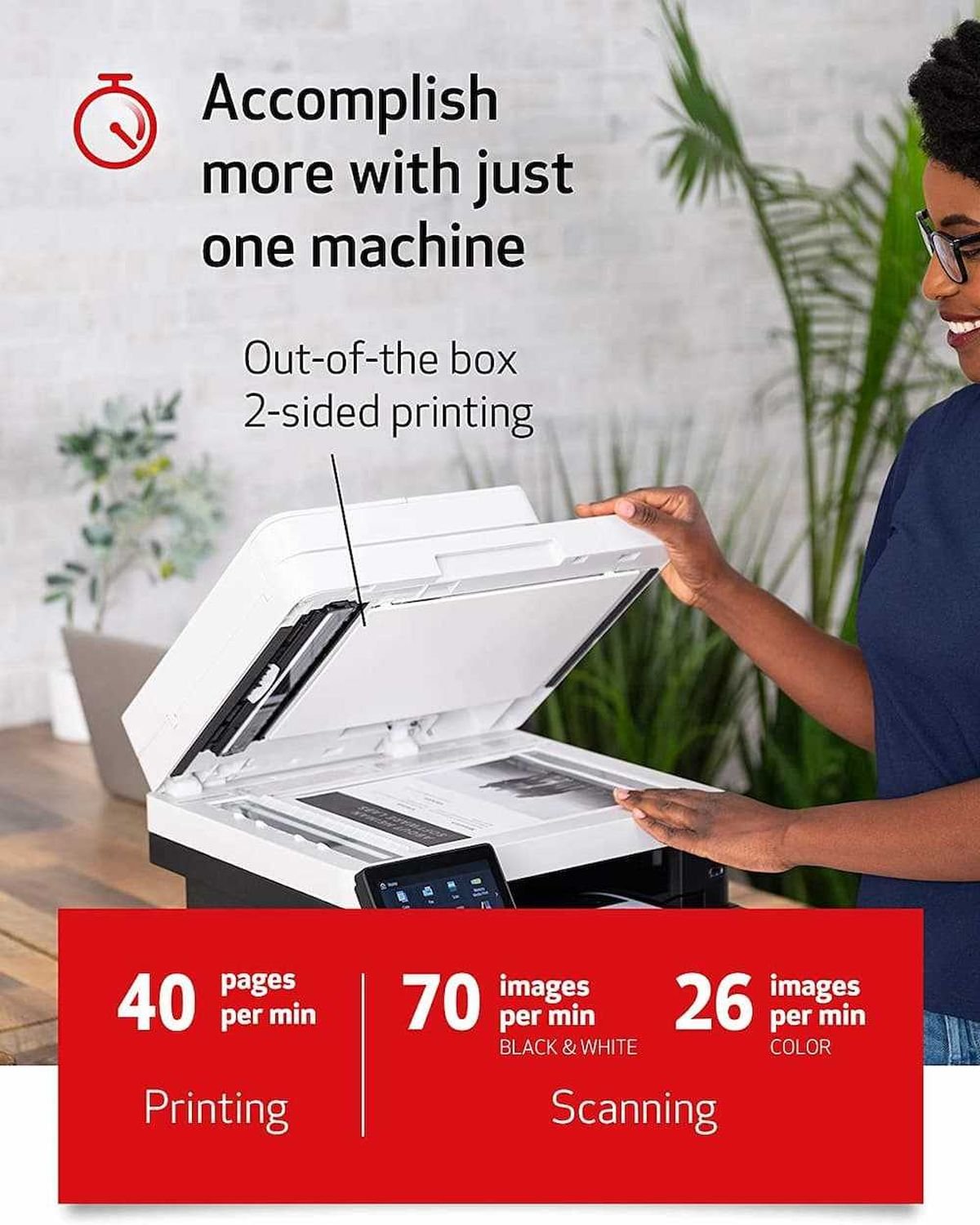
The Canon imageCLASS MF445dw is a monochrome laser printer designed for small to medium-sized businesses and home offices. It delivers printing, scanning, copying, and faxing capabilities in one compact device. With automatic duplex printing, it saves paper and reduces costs. The printer supports Ethernet, USB 2.0, and Wi-Fi connectivity, making it easy to connect to multiple devices. Mobile printing is supported via Apple AirPrint, Mopria Print Service, and the Canon PRINT Business App. Its 5″ color touchscreen allows easy navigation, while high-speed printing (up to 22 ppm) and scanning (up to 70 ipm) keep your workflow efficient. The standard paper capacity is 350 sheets, expandable up to 900 sheets, and its compact design fits easily into small office spaces.
Why Choose It
✅ All-in-one functionality: Print, Scan, Copy, and Fax
✅ Automatic duplex printing for cost and paper savings
✅ High-speed printing up to 22 ppm and scanning up to 70 ipm
✅ USB 2.0, Ethernet, and Wi-Fi connectivity
✅ Mobile printing via Apple AirPrint, Mopria, and Canon PRINT Business App
✅ 5″ color touchscreen for intuitive control
✅ Energy Star certified for reduced power consumption
✅ Compact and space-saving design
✅ Expandable paper capacity up to 900 sheets
✅ Reliable performance backed by Canon’s warranty
What’s Inside
🖨️ Laser printing engine
📄 Automatic duplex unit
💾 Connectivity ports: USB 2.0, Ethernet, Wi-Fi
📱 Mobile printing support: Apple AirPrint, Mopria, Canon PRINT
⚙️ 5″ color touchscreen
📦 Paper trays: 250-sheet cassette + 100-sheet output tray
🔧 Expandable trays for up to 900 sheets
🖥️ Driver software for Windows and Mac
🔊 Built-in system for toner management
Perfect For
★ Small to medium-sized businesses
★ Home offices requiring multifunction printing
★ Users needing fast, high-quality monochrome prints
★ Offices with multiple devices needing network connectivity
★ Professionals wanting mobile and remote printing
★ Workspaces aiming to reduce paper usage with duplex printing
★ Teams requiring reliable scanning and fax functionality
★ Users needing easy setup and intuitive touchscreen operation
★ Environments needing compact, space-efficient devices
★ Individuals seeking energy-efficient and cost-effective printing